
Download Wallet - Offline money tracker – offline money tracker, personal finance app, expense tracker, income tracker, budgeting tool, financial management, Android app
Overview
Wallet - Offline money tracker is a free Android application designed to help users manage their personal finances without relying on an internet connection. The app functions as a personal database, enabling individuals to record and monitor expenses and income with ease. Its core purpose is to provide a straightforward, secure method for tracking financial activities, making it ideal for users who value privacy and control over their financial data.
The application supports multiple accounts, allowing users to organize finances across different sources such as personal, savings, or business accounts. The analyze section offers category-wise insights into spending and income, helping users identify trends and improve budgeting habits. Transaction details can be customized with payment mode—cash or card—providing clarity on how each transaction was made.
Users can also edit entries if errors are detected, ensuring data accuracy over time. This tool is particularly beneficial for individuals seeking to gain better insight into their spending behavior without the complexity of full-featured financial platforms. It is suitable for everyday users, students, freelancers, and anyone aiming to maintain financial discipline.
The developer, OneO8, emphasizes continuous improvement through user feedback, indicating a commitment to long-term usability and functionality.
Key Features & Capabilities
- Offline Functionality: All financial data is stored locally on the device, ensuring privacy and eliminating dependency on internet connectivity.
- Multiple Account Support: Users can create and manage several accounts, ideal for tracking personal, family, or business finances separately.
- Transaction Categorization: Expenses and income can be categorized, enabling users to view spending patterns across different areas like food, transportation, or entertainment.
- Payment Mode Tracking: Each transaction can be tagged as cash or card, helping users recall how payments were made at a later date.
- Editable Transaction Records: Mistaken entries can be corrected, promoting accuracy and long-term reliability of financial data.
- Integrated Financial Calculators: The app includes a suite of tools such as a simple calculator, EMI calculator, FD calculator, and SIP calculator to support broader financial planning.
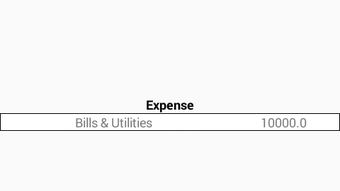
- Visual Analysis Dashboard: The analyze section provides graphical and numerical summaries of income and expenses by category, aiding in informed decision-making.
These features collectively support daily financial tracking, budgeting, and long-term planning. For instance, a student managing a monthly allowance can use the app to categorize expenses and track spending trends. A freelancer might use multiple accounts to separate business and personal funds, while leveraging the calculator tools to project savings or loan repayments. The integration of offline storage ensures that sensitive financial data remains secure and under user control at all times.
User Interface, Workflow & Performance
The user interface of Wallet - Offline money tracker is described as sleek and easy to navigate, with a clean layout that prioritizes functionality over visual clutter. Navigation is intuitive, allowing users to access core features such as adding transactions, viewing account balances, and exploring analytical reports with minimal effort. The workflow is streamlined, enabling quick entry of financial data through clearly labeled forms and dropdown menus.
Users can add transactions in a few taps, select categories, assign payment modes, and save without interruptions. The developer did not specify resource usage details, so performance behavior under heavy use remains unconfirmed. However, given the app’s lightweight size of 12.5 MB, it is likely optimized for low-end devices.
Stability is not explicitly addressed, but the ability to edit transactions suggests a focus on data integrity and user control. General performance observations are based on typical behavior of similar lightweight Android applications. No known crashes or freezes were reported in the provided information.
The app appears designed for consistent responsiveness during regular use, though real-world performance may vary depending on device hardware and background processes.
Compatibility & System Requirements
Wallet - Offline money tracker is designed for the Android operating system and is compatible with devices running Android 5.0 and above. The application has a file size of 12.5 MB, indicating a lightweight footprint suitable for devices with limited storage. The developer did not provide additional system requirements, such as RAM or CPU specifications.
As a result, exact hardware compatibility cannot be confirmed beyond the stated OS version. Installation is straightforward and does not require root access or special permissions. The app operates entirely offline, meaning it does not rely on cloud services or background sync, which reduces strain on device resources.
Compatibility information is limited to the OS and file size, with no details on supported screen resolutions or hardware acceleration. Users should ensure their device meets the minimum Android version requirement for optimal functionality. For those using older Android versions, compatibility may vary depending on system updates and device-specific configurations.
Pros and Cons
Pros
- Completely offline operation ensures data privacy and no internet dependency.
- Free to download and use with no hidden costs or in-app purchases.
- Supports multiple accounts for better financial organization.
- Editable transaction entries improve data accuracy over time.
- Includes useful financial calculators for EMI, FD, SIP, and basic arithmetic.
- Intuitive interface with a clean, modern design.
- Small file size makes it suitable for low-storage devices.
Cons
- No cloud backup or sync across devices, limiting accessibility.
- Limited system requirements information makes compatibility assessment difficult.
- No mention of data export or import functionality.
- Offline nature means data cannot be accessed on other devices without manual transfer.
- Developer did not provide detailed performance metrics or stability reports.
FAQ Section
Is Wallet - Offline money tracker available for iOS?
The app is currently available only for Android devices. There is no information on iOS compatibility at this time.
Can I use this app without an internet connection?
Yes, the app is designed to work entirely offline. All data is stored locally on the device, and no internet connection is required for core functionality.
Is the app safe to use?
As the app operates offline and stores data locally, it reduces exposure to online security risks. However, users should ensure their device is protected with standard security measures.
How often are updates released?
OneO8 is actively improving the app, but the update frequency was not specified in the provided information.
Does the app support data export or backup?
There is no information available about data export or backup features. Users are advised to manually back up their data if needed.
Final Thoughts + CTA
Wallet - Offline money tracker delivers a focused, privacy-first solution for personal financial management. Its offline operation, free pricing model, and intuitive interface make it a compelling choice for users seeking a no-frills way to track expenses and income. The inclusion of multiple account support and integrated calculators adds practical value beyond basic tracking.
While the lack of cloud sync and limited system details may be drawbacks for some, the app excels in simplicity and security. It is particularly well-suited for individuals who prioritize data privacy, use older or low-spec devices, or prefer to manage finances without digital dependencies. For those looking for a reliable, lightweight, and secure way to stay on top of their money, this app stands out in its category.
Download Wallet - Offline money tracker now.







